AllAbout is not one rigid product - it is a set of modules under your brand. Below, each one is described in detail: what it gives the employee, what it gives HR and exactly what it can do.
This page is long because every module is described in detail. Jump straight to whatever interests you.
Communication that truly reaches production workers — no company email, no computer, on their own phone.
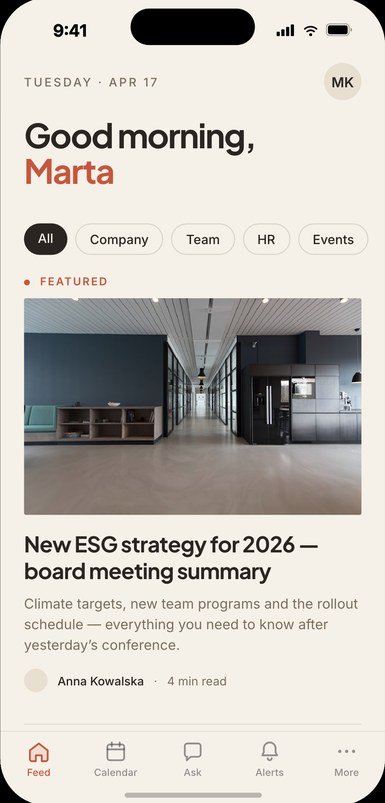
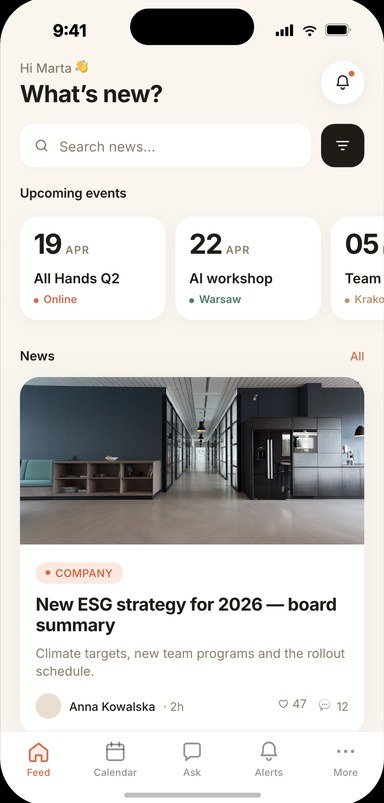
Announcements from management, HR and supervisors land straight on the employee's phone — in a familiar social-media format: posts with photos and video, reactions, comments. Urgent messages arrive instantly via push notifications, even to people without a company email.
In the panel, the administrator sees who read what and how much. It's the same mechanism that at Volkswagen Poznań gathered over 5,000 logins in the first 5 days and replaced info kiosks and paper newsletters.
Employee groups are created automatically on data import — based on department or location. When information about an employee enters the system, the app instantly knows which department and site they belong to and assigns them to the right group.
This lets the administrator send messages precisely: to a specific department, a single plant or everyone at once. They can also create a group manually at any time in the panel — select a few, a few dozen or a few hundred employees and send material only to them.
A push notification is what sets an app apart from an intranet: urgent news arrives at once, including to people without a company email. It is not a mass-mailing tool, though - a notification always accompanies a specific piece of content or somebody’s own case.
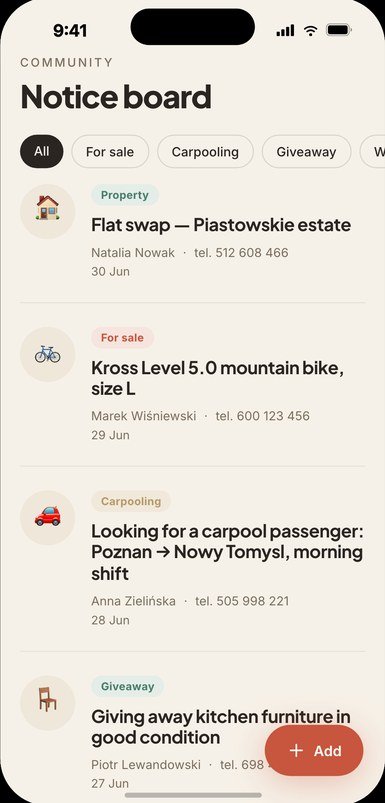
A place for employees' private ads: shared commutes, selling items, lost and found. It builds a sense of community and takes load off the communications team.
At Volkswagen Poznań around 700 ads have already appeared here — the app became the crew's own space too, not just a top-down channel.
Each issue lands in the app as a PDF, grouped into categories. People are notified about a new issue and open it with one tap, instead of hunting for a paper copy.
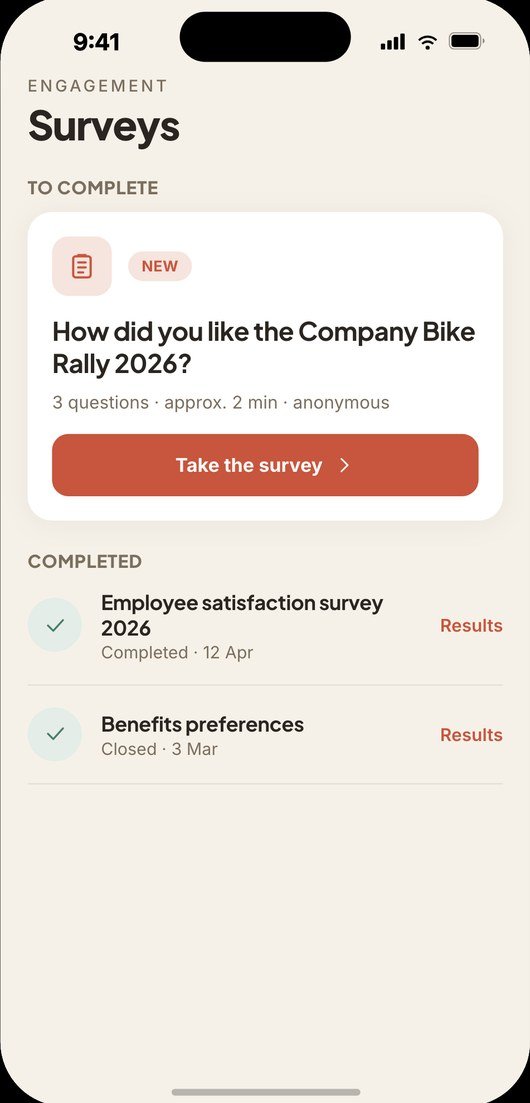
Surveys — from satisfaction studies to fully anonymous polls where even the employer has no access to the raw data (only an independent processor sees it). Employees answer honestly because they know they're anonymous.
Quizzes — from fun (predicting match scores) to safety exams: drawing questions from a pool, randomised answer order, time limits and 'match' questions. Results and statistics flow to the administrator's panel.
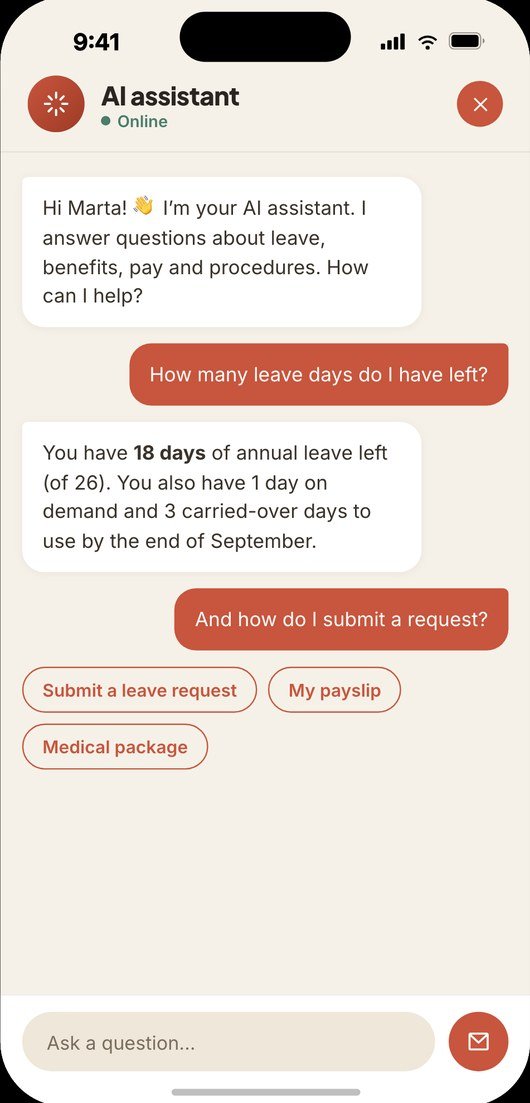
A private AI assistant answers employees 24/7 — based solely on documents uploaded by the administrator (regulations, procedures, instructions). It doesn't make things up and doesn't draw on general internet knowledge.
It can run on your own server, so data stays in-house. At the Pol'and'Rock festival it answered volunteers on where the toilets were, how much a tent spot cost and what the rules said.
How to report a fault, who takes back workwear, what to do about a lost locker key - those questions reach HR or the shift supervisor anyway. The knowledge base gathers them in one place, sorted alphabetically, with a search.
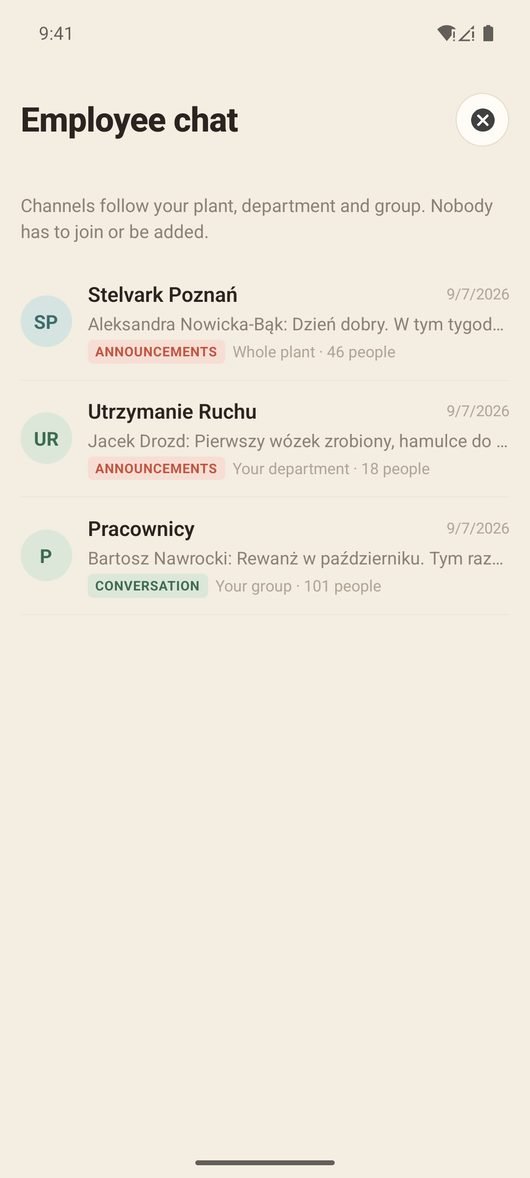
Channels come out of what the system already knows about a person: their site, department and group. Nobody is added by hand, and a change in the HR record changes access to the conversations at once.
A separate channel for matters you do not sort out in front of everybody: a private one-to-one conversation with the company. The screen says up front that a person answers, and who can see the conversation.
Strategy usually stops at a management deck. Here it is a section of its own in the app: categories with articles, photos, films and files, available to whoever you address them to.
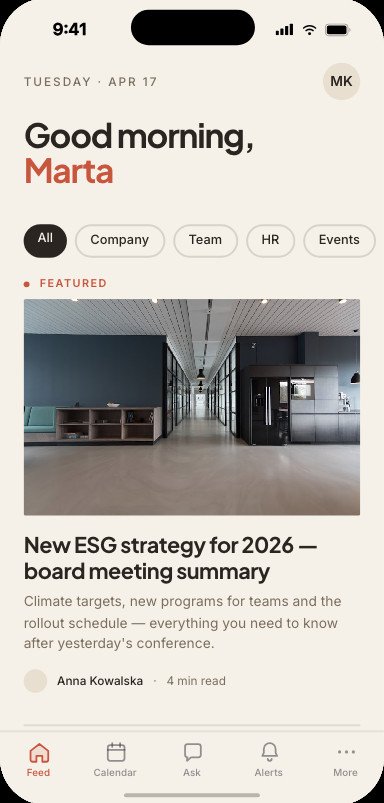
People from different sites and countries log into a single admin panel. Each administrator sees content only for their own site — while a super-administrator has visibility across all locations and can create content for any of them.
The super-administrator writes in their own language, and the content is automatically translated into the language of the given site. And no matter which language it's published in — if people from different countries work there, each employee sees it in their own language, because the translation happens dynamically right on their phone.
Matters that once required an office visit and paper trail — now handled from the phone, in moments.
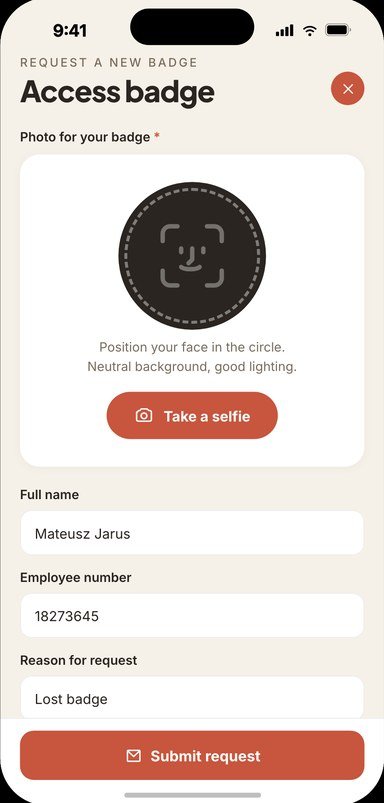
The employee takes a single selfie, marks the reason and pickup point — the app fills in the rest automatically. The next day the new pass is ready for collection at the chosen point.
At Volkswagen Poznań the feature has run since 2024 and is growing rapidly: 112 requests in 2024, 276 in 2025, and already 745 in the first half of 2026 alone.
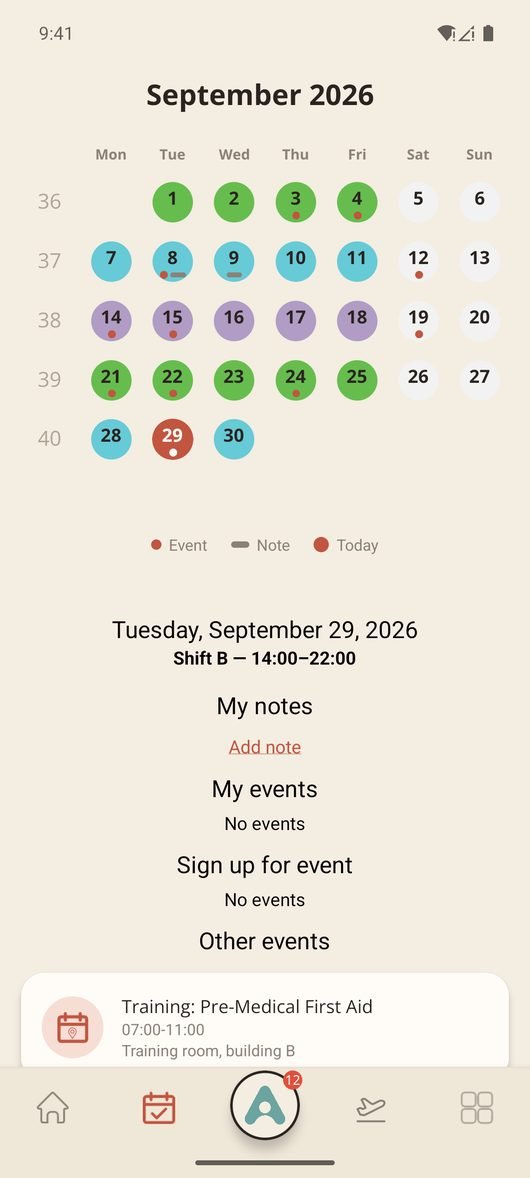
Employees see their shift schedule on the phone, in a calendar where every day carries the colour of its shift. No more ringing the foreman to ask which shift is tomorrow. A new schedule appears in the app as soon as HR loads the file.
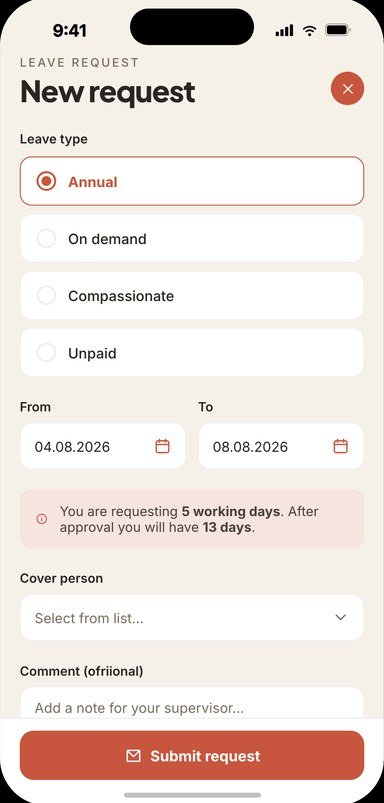
Submitting a request, picking the type and the dates, and the decision itself - all in the app, with no trip to the HR office. Employees see straight away how many working days their request covers, and learn the decision from a notification, in their own language.
Payslips land in the app as PDF files, month by month. This is payroll data, so the whole feature is built around one rule: everyone sees their own and nothing else.
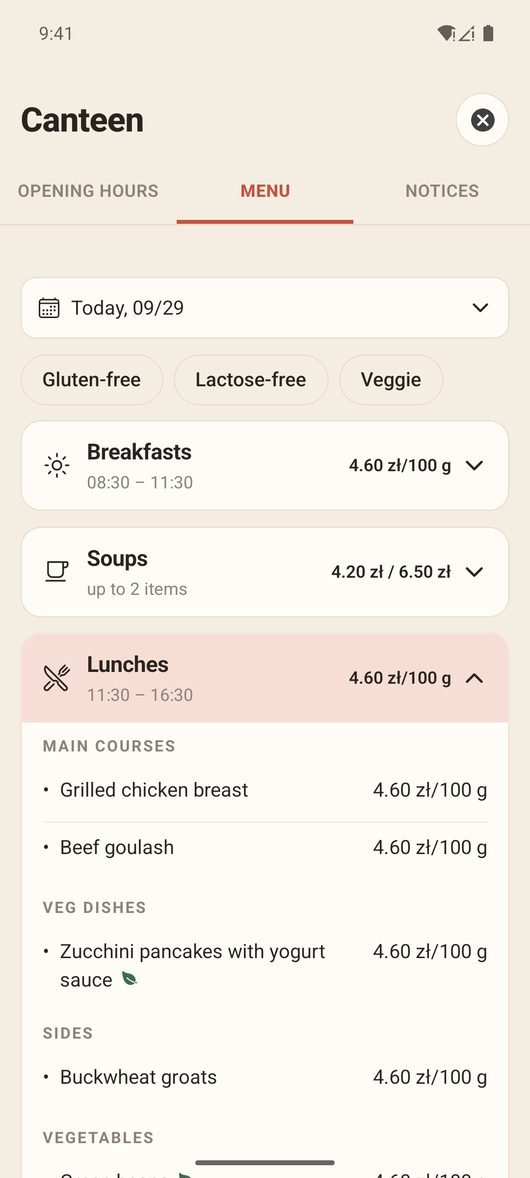
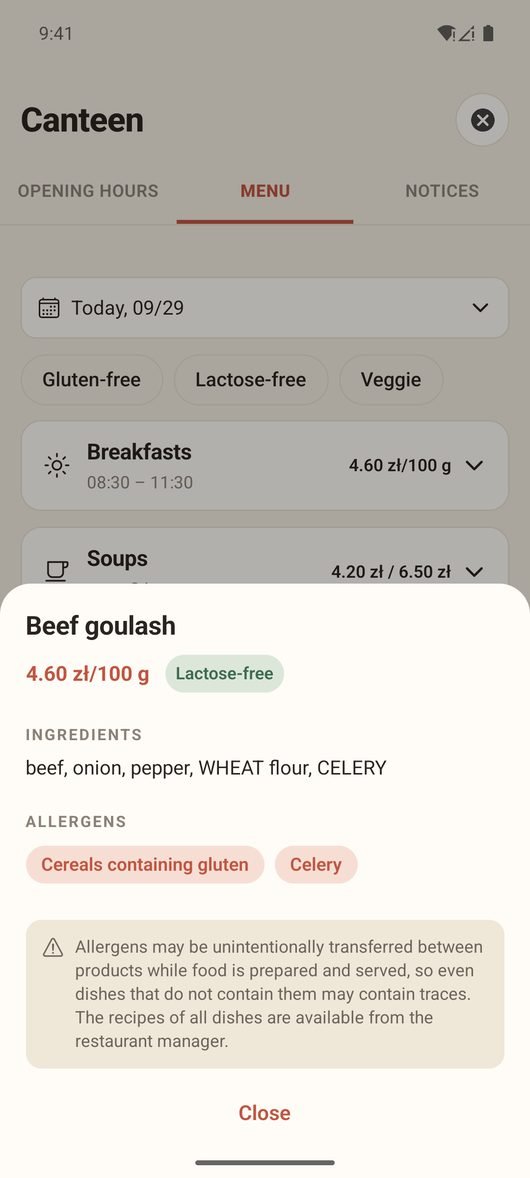
The menu and opening hours reach the app straight from the file the catering operator sends anyway. Somebody on a night shift checks on their phone whether they will make it to lunch, and somebody with an allergy checks whether a dish is safe for them.
A company with a dozen or more sites means constant questions about how to get to another location. The app shows them on a map, works out a driving route and hands it over to the phone’s navigation. It earns its keep during transfers, training and visits between sites.
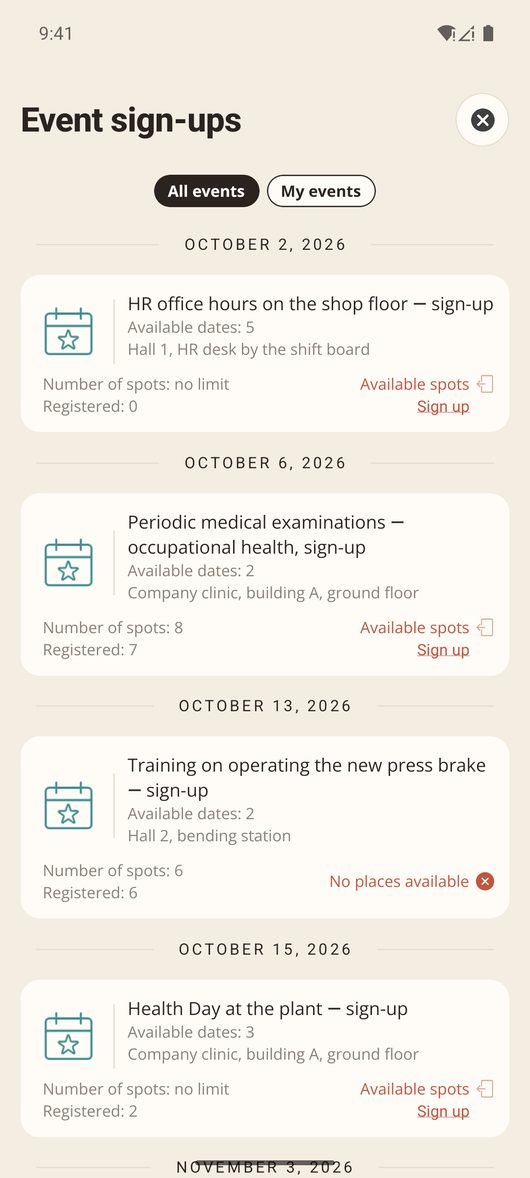
Company events, trainings and group classes with sign-up directly in the app, with seat limits and reminders. The organiser sees the participant list at once.
Certifications, recurring training and a new hire’s first days - in one place, with evidence ready for an auditor.
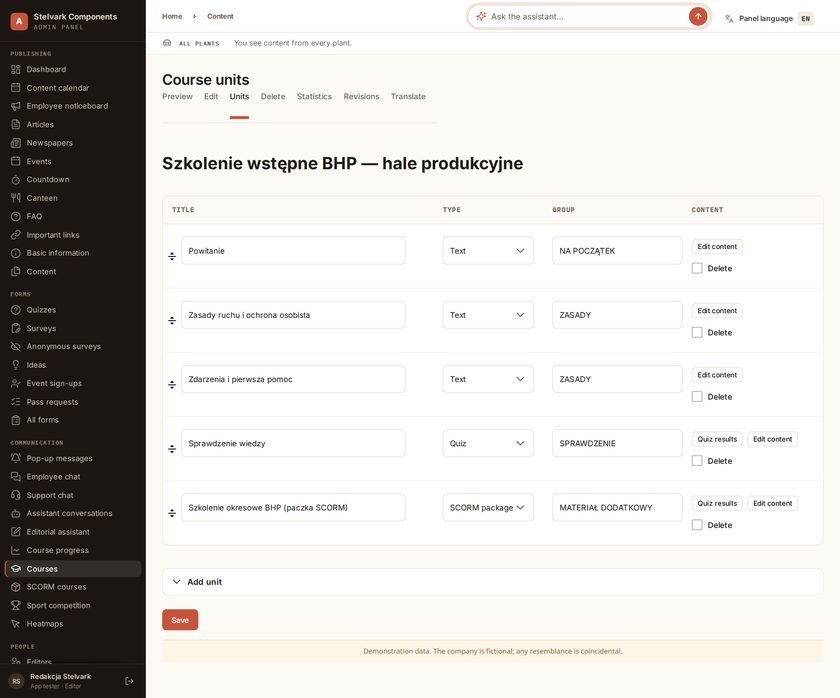
Training is not a separate system with its own login. A course sits in the same app where people read announcements - they take it during a break, on the bus or before a shift, on their own phone.
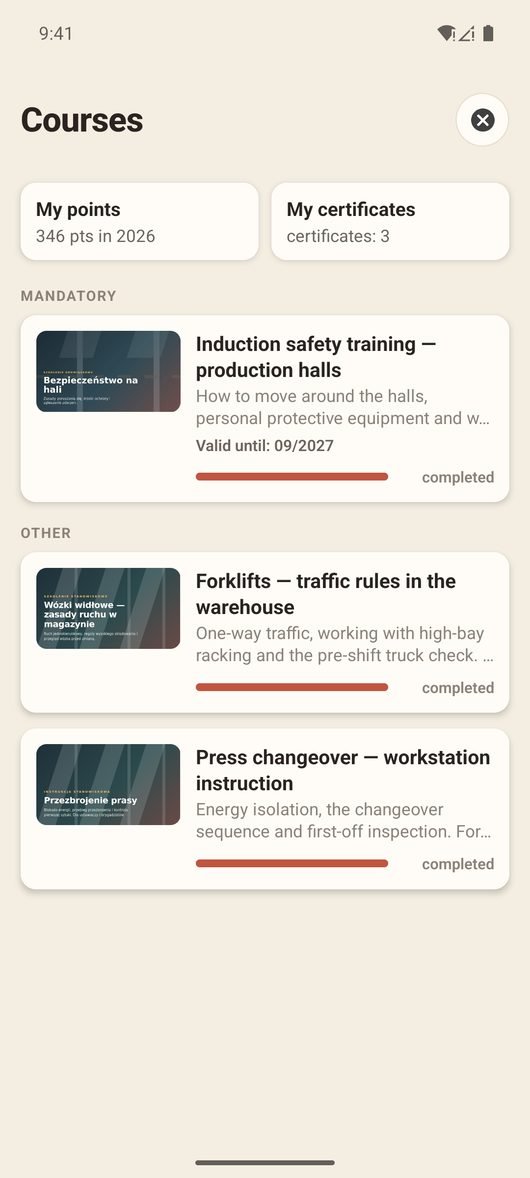
Safety training every 12 months, forklifts, crane licences - usually tracked by one spreadsheet and one person’s memory. Here the deadline and the validity period are part of the course, and the system works out where every employee stands.
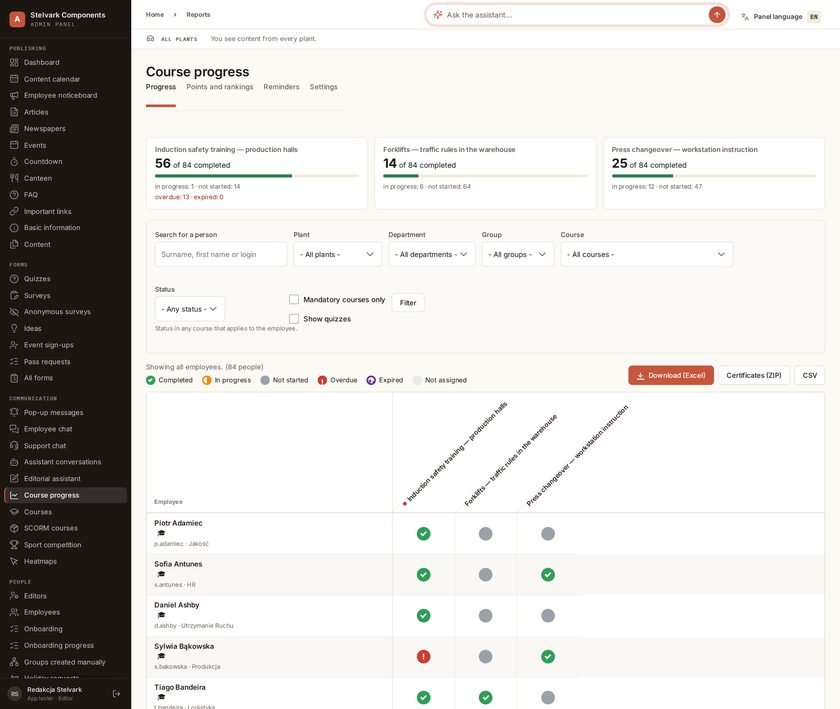
The training matrix is a people-by-courses view with a status icon in every cell. On a single screen you see who is fully covered, who is overdue and whose certification has expired - and you hand an auditor the whole thing as one file.
When a course is completed the certificate is produced on its own, in the background - nobody waits for it. If the course has a test, the certificate is issued only from the pass mark upwards.
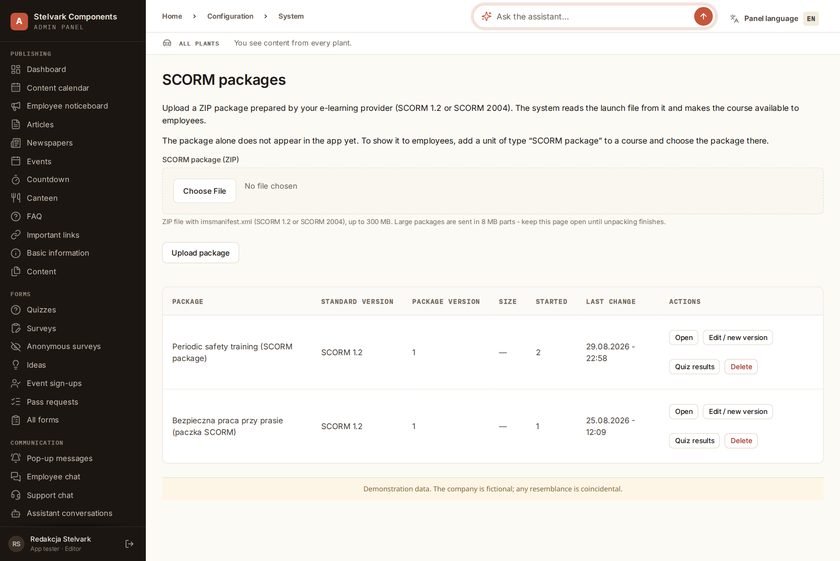
If you already own courses in the SCORM standard, you upload the package and drop it into a course as one of the lessons. Completion counts exactly like any other: it lands in the register, the matrix, the points and on the certificate.
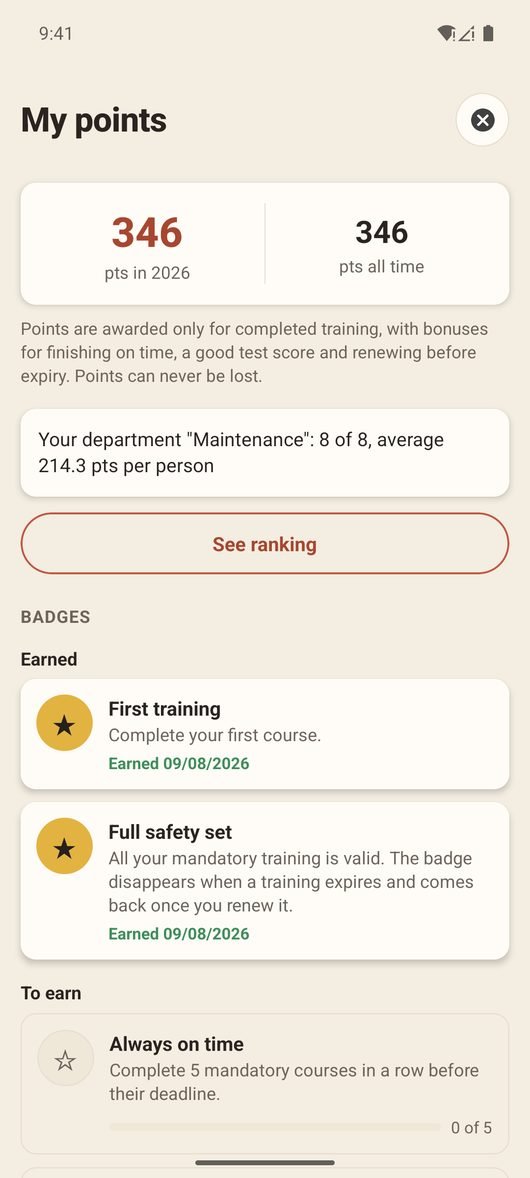
Points are awarded for completing a course only - not for opening it or clicking around. They cannot be lost: being late means missing the bonus, not taking a penalty. You set the rates and thresholds yourself, and a change applies going forward.
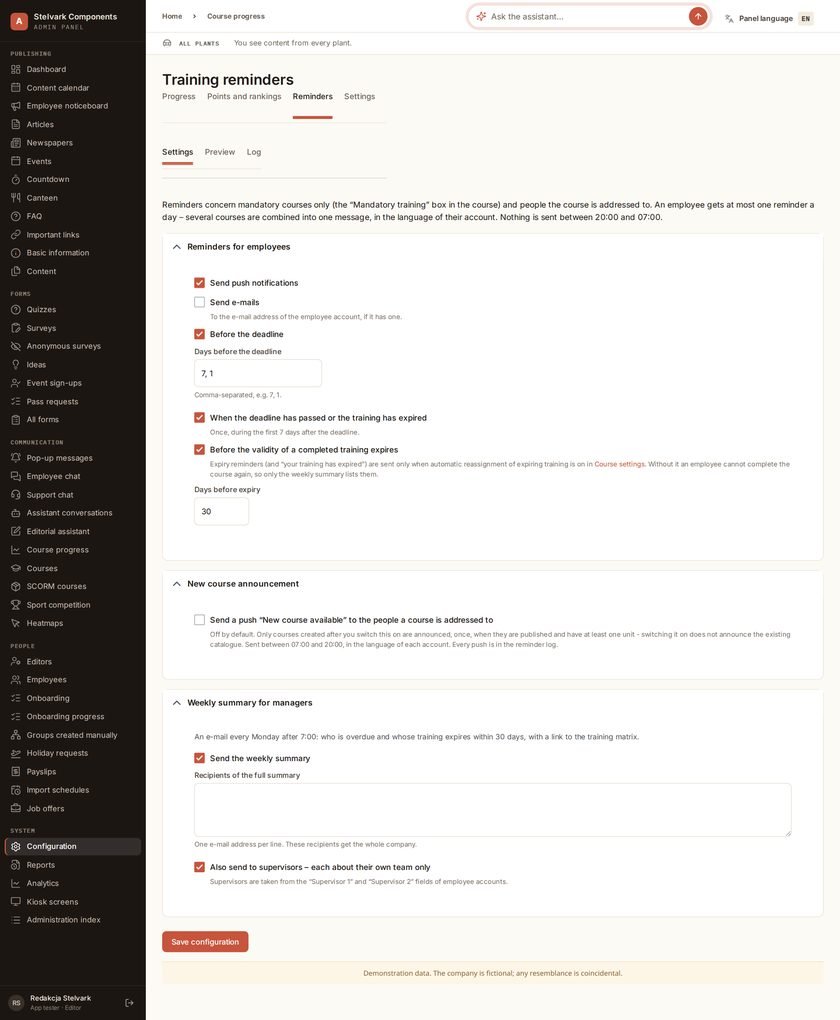
Reminders are off by default - you switch them on deliberately, one channel at a time. Before you do, the panel shows a preview: who would get a message, about what and in which language.
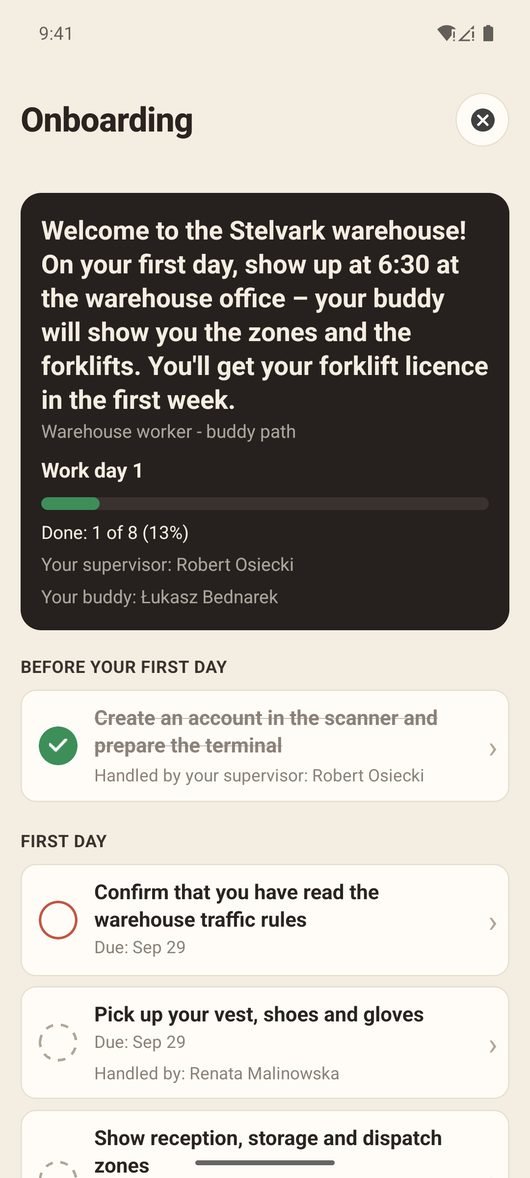
Onboarding stops being a folder of paperwork and a list in the foreman’s head. The new hire gets a checklist on their phone, split into stages, with a deadline on every task and the name of the person handling it.
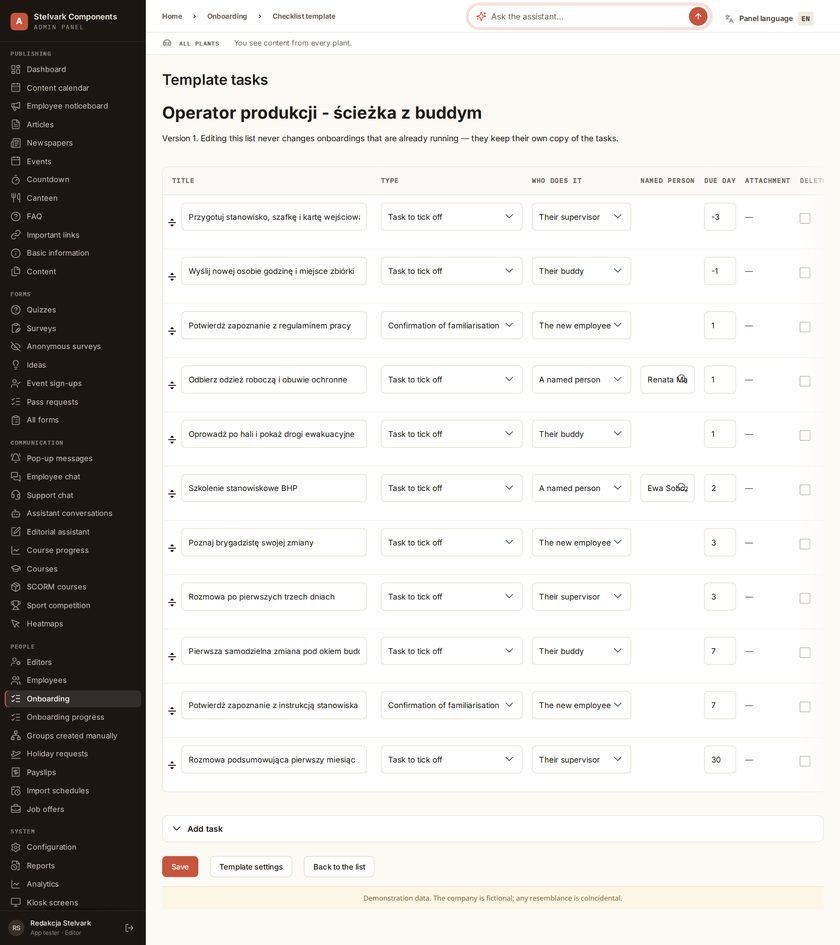
Half of what has to happen in the first week does not depend on the new hire at all: an ID badge, a locker, workwear, a system account, on-the-job training. In AllAbout each of those tasks has an owner and a deadline.
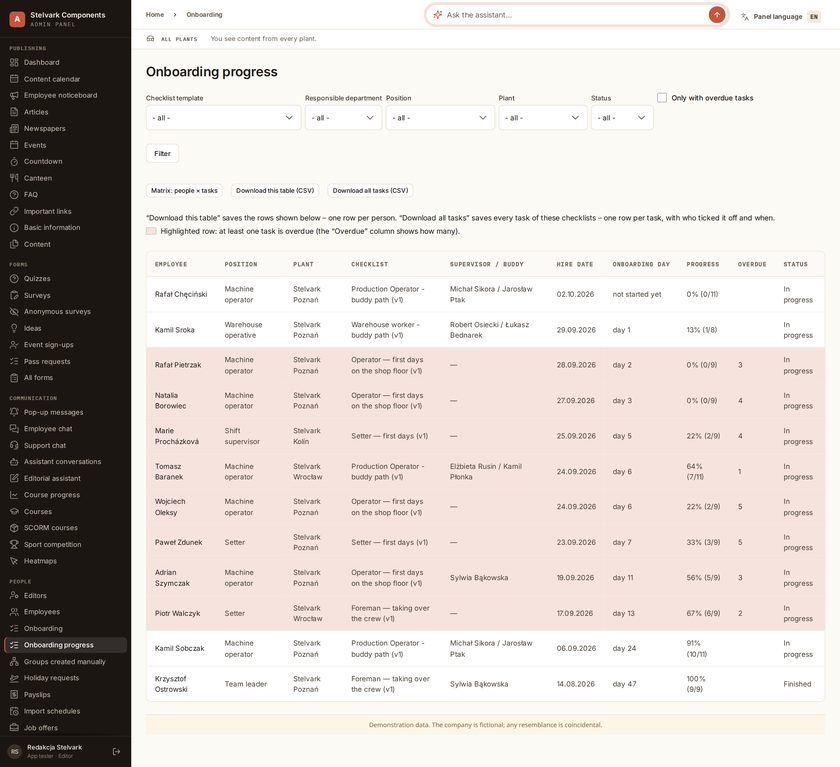
You lay out an onboarding path once, separately for an operator, a team leader or an office role. Starting it for a particular person is one form: employee, template, supervisor, buddy and hire date.
The assistant in the panel builds courses and onboarding templates from the content you give it - typed, or dictated using your phone keyboard. Every change needs confirmation on a card, and a new course is created unpublished.
Features that build engagement and make employees return to the app on their own.
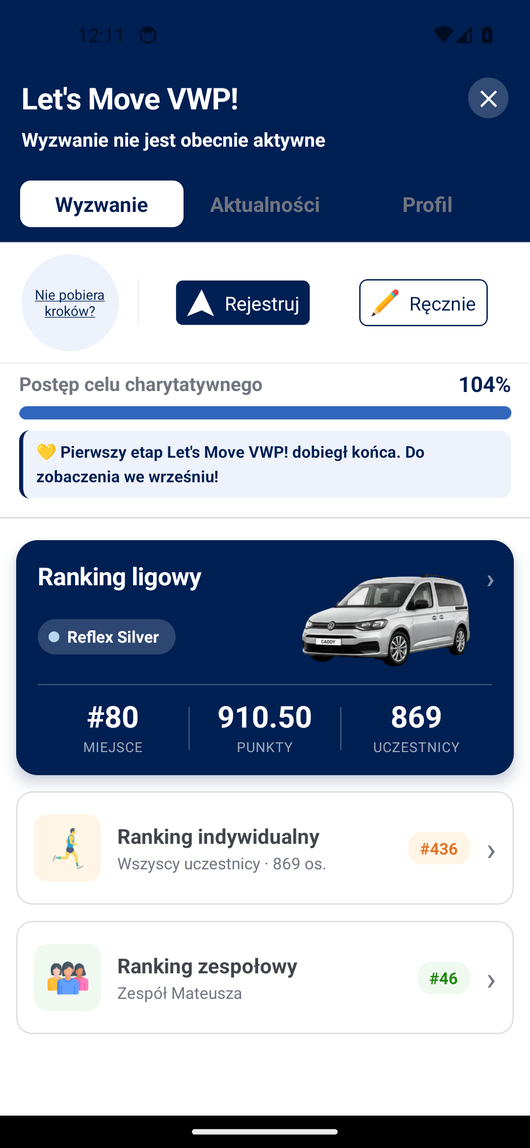
Year-round movement challenges with individual, team and league rankings. A phone is all it takes to start - the app records the route of an activity itself. They engage more than just athletes - everyday steps and small activity count.
At Volkswagen Poznań participation grew from 290 to 949 people. See the sports page →
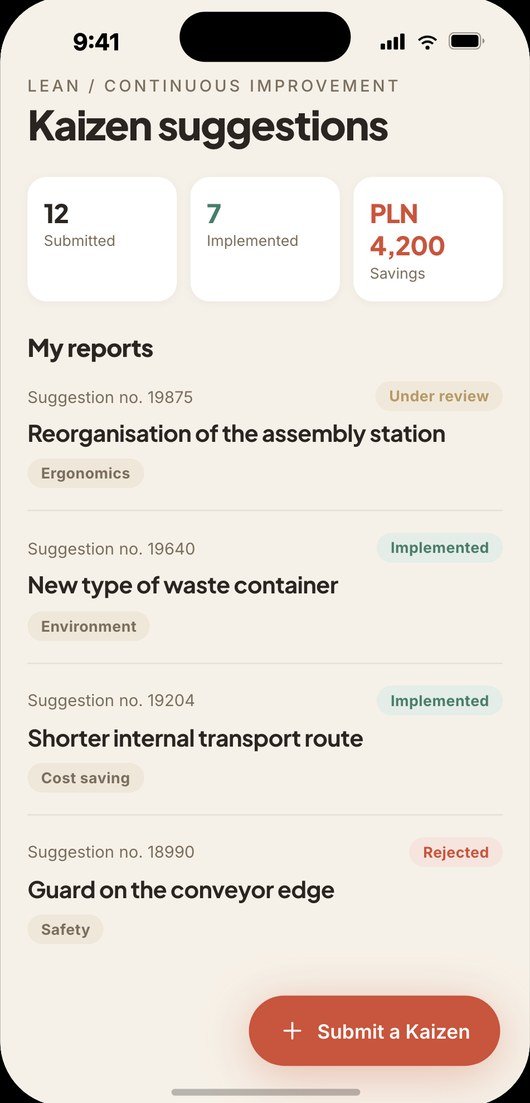
Anyone can submit an idea for an improvement: a saving, a shorter process, better ergonomics. The submissions arrive in the panel, and the improvements you pick are published in the app for the workforce to vote on which to do first.
Everything the IT and security department of a large organisation expects — with full control over data.
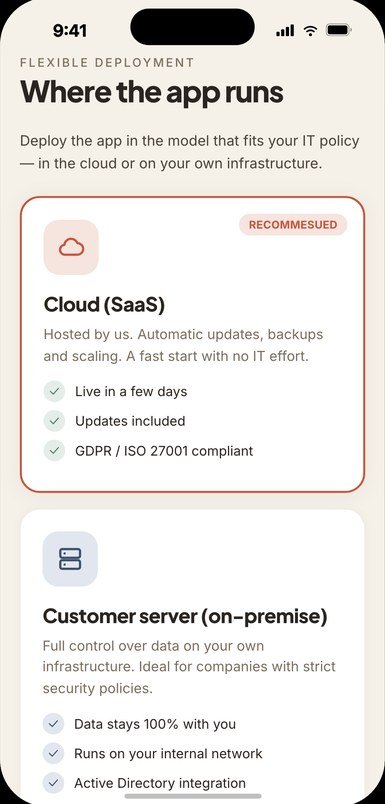
You can run AllAbout in the cloud or fully on your own infrastructure (on-premise). In the on-your-server variant, data never leaves the company and you keep full control — including a source-code licence and a clear exit scenario.
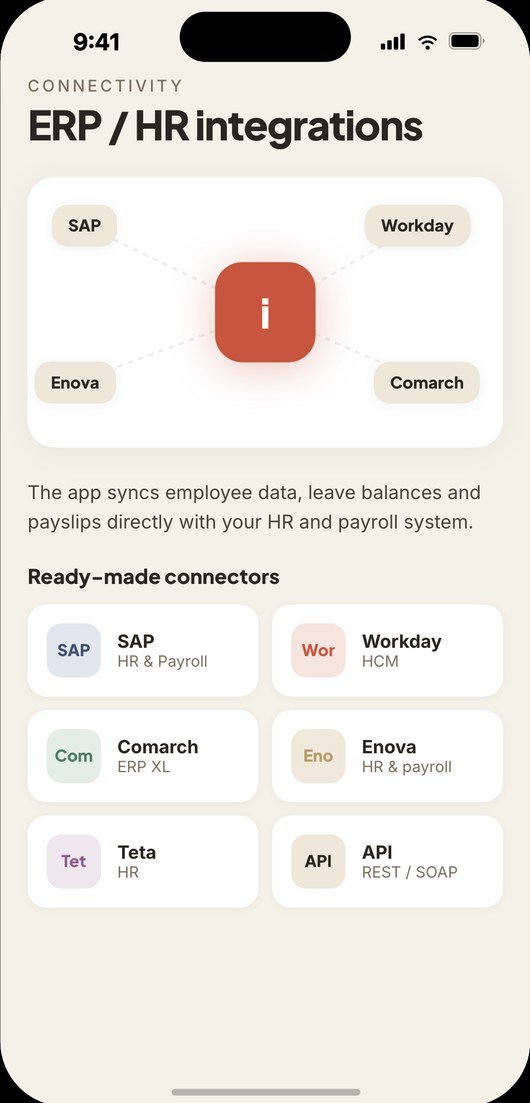
We create employee accounts from a file exported from your HR system (CSV). Shift schedules are loaded from an XLSX spreadsheet and the canteen menu arrives by ordinary e-mail - that is how it works at NGK Ceramics. At Volkswagen Poznań we pull job openings from SAP SuccessFactors. The app also has an API. Connections to the other systems you use are delivered as part of the rollout.
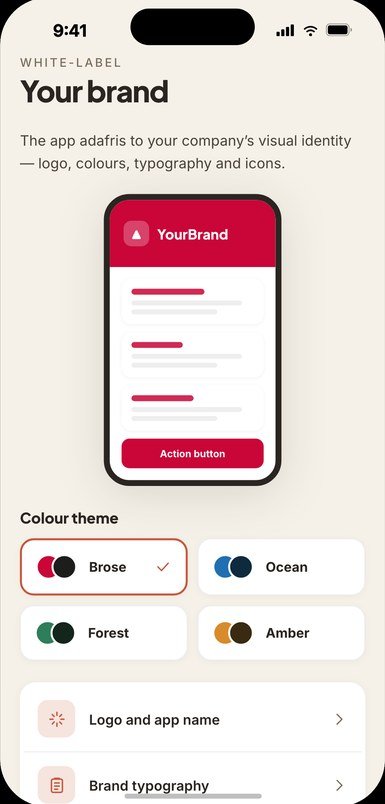
AllAbout works as a white label: employees download the app under your brand, with your logo, name and colours. To them it's simply 'our company's app'.
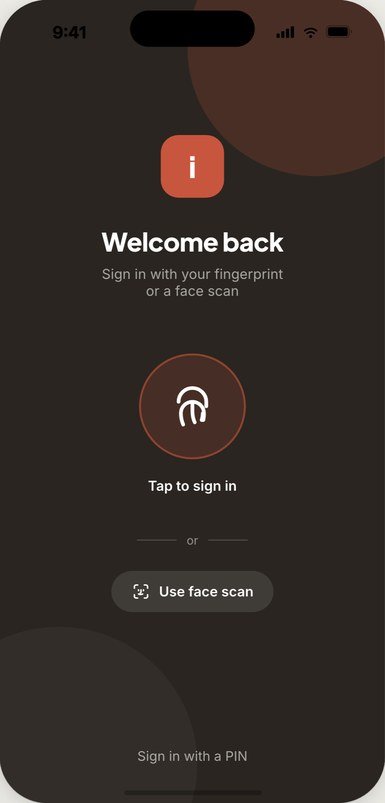
Employees unlock the app with a fingerprint or their face, with a PIN as a fallback; the session token sits in the phone’s system store and is not released without a successful check. Accounts in the admin panel can switch on two-factor authentication with an authenticator app and backup codes. On top of that: encrypted transmission, continuous infrastructure monitoring and formal security documentation. See the Security page →
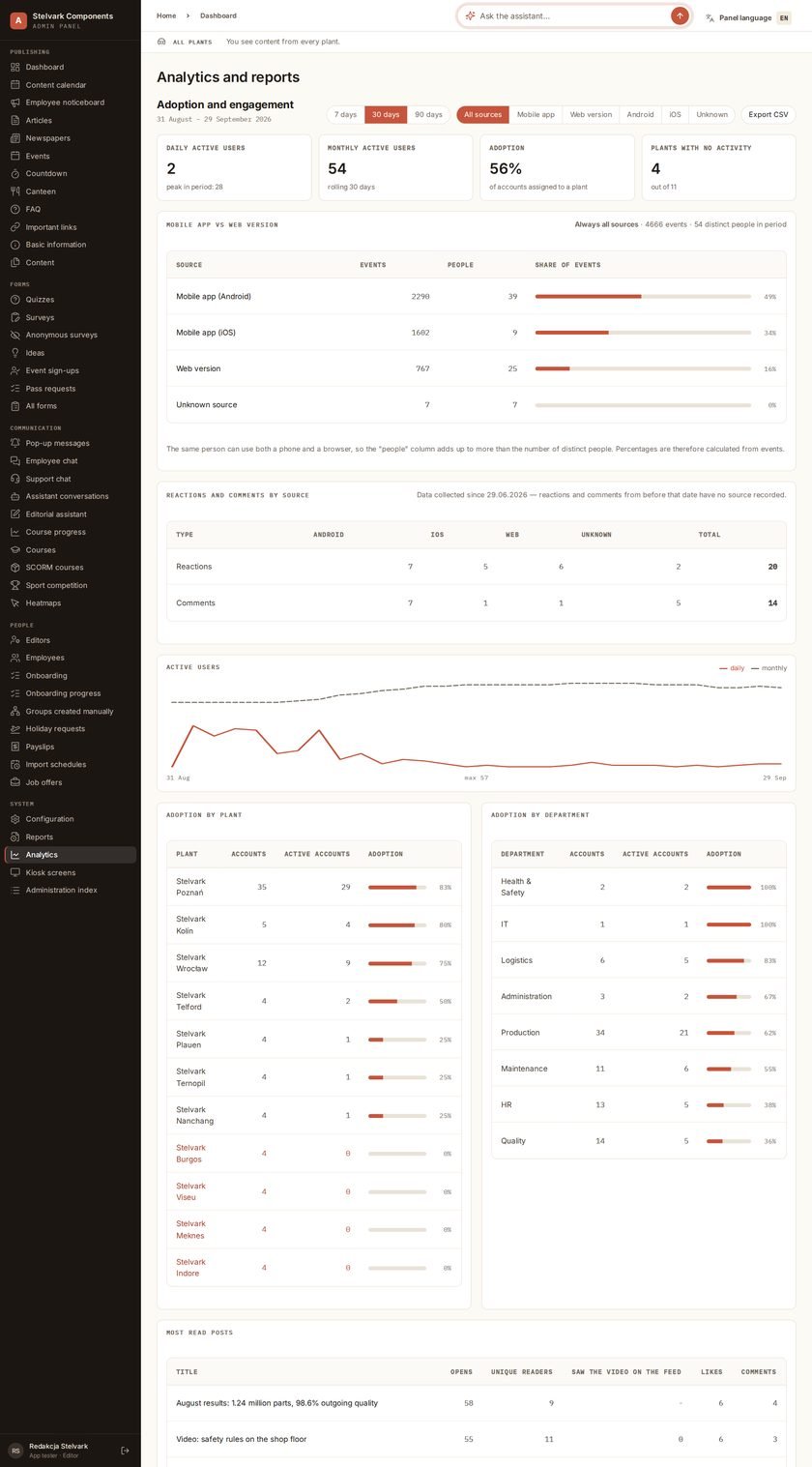
Rolling out an app only makes sense if people actually open it. The panel puts numbers on that: how many use it daily and monthly, how adoption looks per site and per department, and which content anybody actually read.
Not everyone reaches for a phone on shift. A screen on the shop floor shows the same things as the app: site announcements, upcoming events and today’s canteen menu - with no login and no personal data at all.
A hall has thick walls, a warehouse has dead spots, and a car park has one bar of signal. The app does not pretend otherwise: it keeps some content on the phone and slims itself down by itself when the connection is poor.
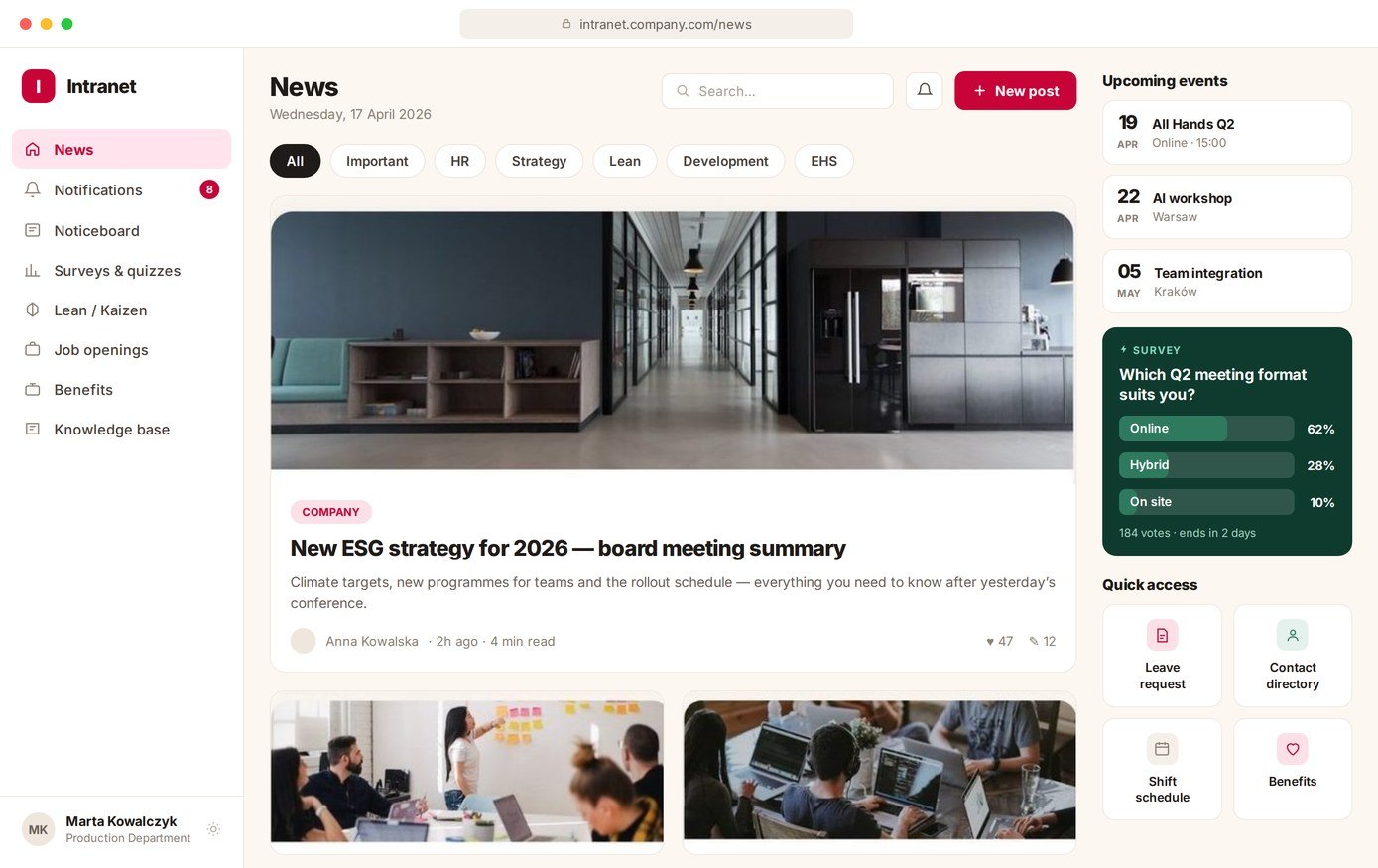
Not everyone wants to install an app on a private phone, and some people sit at a computer anyway. The browser version uses the same account and the same back end as the app.
Book a free demo — we'll tailor a set to your company and show the app in action.
Book a Demo AllAbout